
Switch Statements
Switch statements provide a more readable and efficient way to
handle multiple conditions compared to using numerous else if
statements. They work by evaluating the value of a variable and
executing the matching case block.
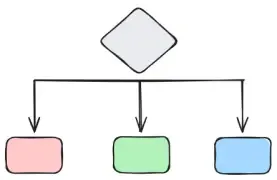
Syntax
Section titled “Syntax”Here is an example of the structure of a switch statement:
switch (integer_expression) { case value1: // Case actions break; case value2: // Case actions break; // ... default:}Use Cases
Section titled “Use Cases”switch statements are particularly useful for menu-driven scenarios, where a
user selects an option, and the program executes the corresponding code block.
This structure makes the code more organized and easier to manage compared to
multiple if-else statements.
// Copyright 2024 CSCE240#include <iostream>
using std::cin;using std::cout;using std::endl;
int main() {  // Message user  cout << "Welcome to the Program!" << endl;  cout << "-----------------------" << endl;  cout << "Enter 1: To Do This\nEnter 2: To Do That\nEnter 3: To Do "          "Something\nEnter 4: To Quit"       << endl;
  // Get user input  int input;  cin >> input;
  // Do something  switch (input) {    case 1:      // Do this      break;    case 2:      // Do that      break;    case 3:      // Do something      break;    case 4:      cout << "Goodbye..." << endl;      break;    default:      cout << "Please select one of the allowed options..." << endl;  }
return 0;}switch statements can also be useful if you need to return a value when creating functions, which will be covered later. If returning a value,
you can omit the break statements.
switch (month) { case 1: return "January"; case 2: return "February"; // Cont'd}Style Requirements
Section titled “Style Requirements”A full list of style requirements for general control structures applied to switch statements can be found in the
control structures page.